Three months in, it still remembers day one
One main thread, built on Asymmetric Lossless Memory — every word you say stays uncompressed. What you mention this morning is on your roadmap tonight and queued up for tomorrow.
I have plenty of toolsThey never connect
Ideas sit in the chat, tasks sit in the list, references sit in a bookmark folder, and the decision keeps circling.Every tool is good on its own, and you still open your laptop with no idea what to do first.
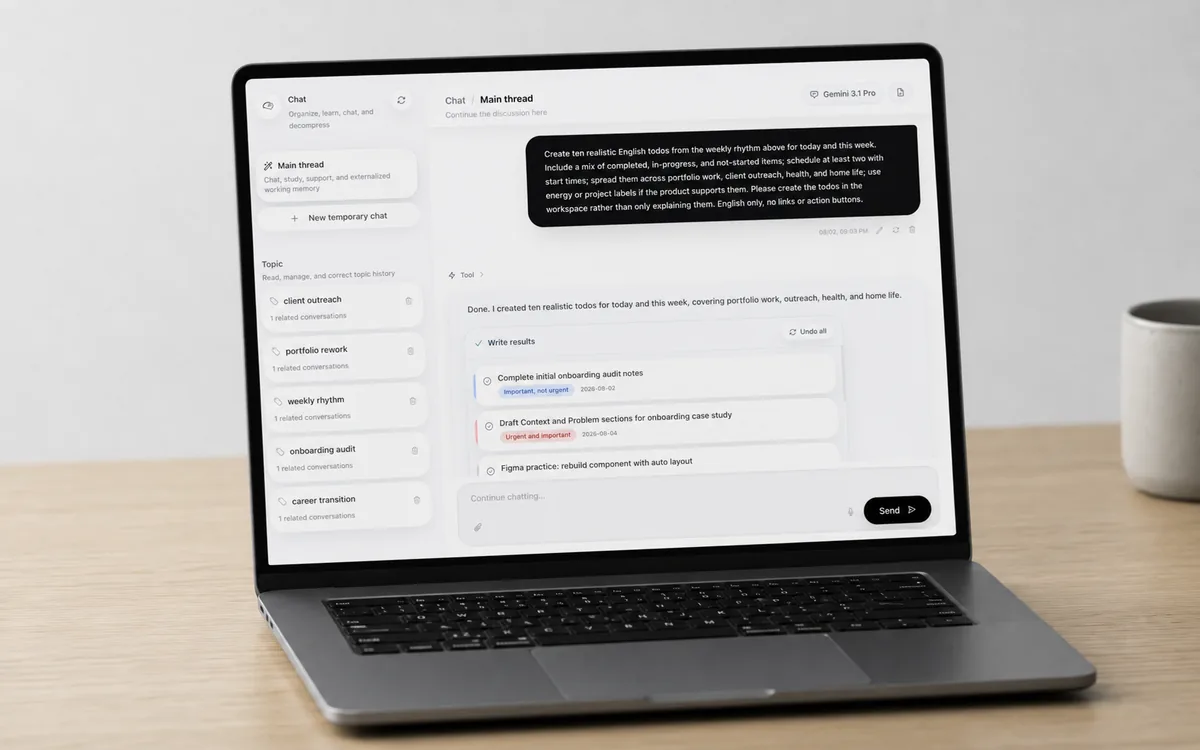
One workspace holds the main thread, the route map, the todos and the notes.
Foremind works on the part in between. It starts by remembering you.
However much time passes,it should still remember you
Most assistants compress history once a chat runs long. The plan you settled on last month and the thing it promised you collapse into a vague one-line summary. Foremind runs on an Asymmetric Lossless Memory engine: your own words stay intact, while archived replies lock in decision anchors and promises across four memory tiers.
No new chat needed. What you said three months ago is still right where you left it. No digging through a pile of old conversations.
- Nothing you wrote is ever compressed.
- Plans, promises, and unfinished business are always preserved.
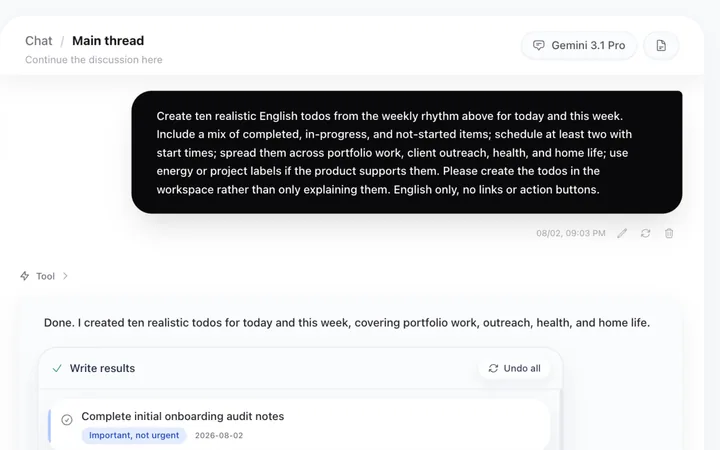
Remembering is only the start. It also has to know where all this is going.
See the road first.Then see today.
First, it helps you take stock of what you actually hold: available hours, savings buffer, skills, and resources. Then it maps viable routes across a four-tier graph, right down to what you do first tomorrow morning.
Tick one and it grows. Untick it and it retracts. Tick several to compare side by side.
At the end of each route stands who you become in six months. It weighs the trade-offs and exit windows with you, highlights the best-fit path, and hands you a five-minute move for tonight. Until you confirm, it stays a sandbox.
The route you pick becomes a task tomorrow morning.
By morning,it knows how much you can carry
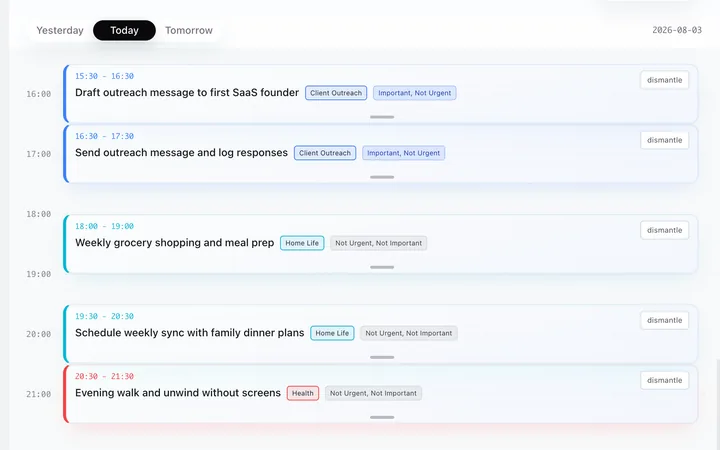
Most task apps do two things: write it down, tick it off. Foremind pairs a multi-queue scheduler with a 180-day rhythm engine: it tracks what you defer, which 30-minute tasks actually take two hours, and when you do your best deep work.
Background jobs can be marked as parallel so waiting never eats into focus time. When a task slips, the system logs the deferral, returns it to the pool, and automatically widens the next estimate to match your real pace.
It does more than place tasks on dates: it plans around your energy. The hardest work lands when you can actually handle it.
Completion history
180 days of real completion data
It looks back over 180 days of real completions, weighted separately by task type, project, energy type and hour of day. Recent data counts for more, so how you are doing lately wins.
Proactive sensing
Flexible time estimates
Deferred tasks are marked and returned to the pool. The next plan automatically gives them more time.
This kind of task took you 1h45m on average last week. The time is there; no need to rush.
Built from 180 days of real completions — switching tools means spending another six months to rebuild it.
However well the day is laid out, some things still stall on whether to do them at all.
Let the meeting in your headfinish for once
You keep circling the same decision until it is late and you still cannot sleep. Convene a multi-agent Council to debate your long-term facts in parallel and vote on a clear landing, while you watch or chime in.
- Host
- Risk
- Reality
- Value
- Execution
- Summary
Few roles, hard landing. For who to contact, whether to accept, whether you are overthinking.
- Partner
- Project lead
- Analyst
- Delivery
Cuts a tangle into parts that do not overlap, then hands back no more than 3 things you can act on.
- Sponsor
- Risk director
- Portfolio
- Chair
For buying things and starting things. The answer is go, no-go or wait, and waiting comes with a cooling-off window.
- Empathy
- Unblocker
- Coach
For when you know the task and still cannot start. Lowers the shame first, then hands you a 5 minute opening move.
"The thing due tomorrow has not been started and it is already 11pm. Push through or sleep?"
Once there is a conclusion you can save it as a note, split it into tasks, or just take the card.
Once it is settled, what is left is writing it down.
Not one charactermoves
Drop in any unformatted text and AI adds heading levels, paragraphs, lists, and quotes.
Most AI tools quietly rewrite your wording or drop details when asked to clean up a draft. In Foremind Zero-Tamper Mode, the model has no permission to generate words — it can only output coordinate instructions to insert Markdown markers, followed by a byte-for-byte restore check.
So your writing never gets “helpfully polished” on the side.
Weekend plan Get the whole week of groceries Break down the boxes in the kitchen Call my parents In the afternoon I want to finish the book I started last week, then get to bed early. If there is anything left in the tank, clear off the desk too.
This demo runs in your browser and your text never leaves this device. It follows the same contract as the live product: insertions only, then a byte-for-byte check that the original can be restored.
And once it is written, someone else has to be able to read it.
Write like Markdown.Edit like blocks.
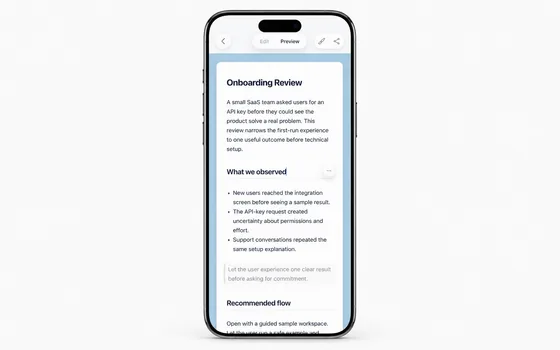
Built on a unified layout tree, both modes share one plain-text source. Edit mode renders Markdown live with dimmed syntax; Preview mode splits the article into blocks for one-handed mobile editing.
## Weekend plan
Clear a few small things off the list this week and get the desk usable again.
- Groceries for the week
- Break down the kitchen boxes
> Get to bed early instead of 2am again.
Caret, selection and highlighted text share one layout tree, so a few thousand words in, nothing has drifted.
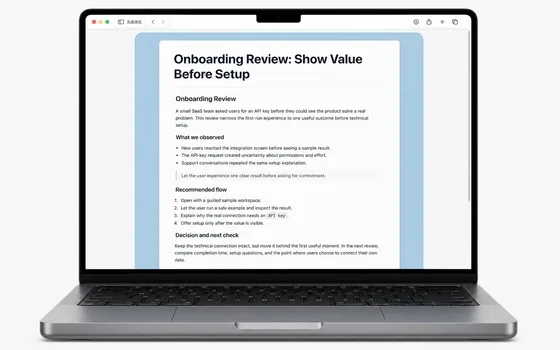
One link.It opens already typeset.
No app to install, no account to create, and no file-transfer workaround. Open the page and the type size, line spacing, and theme match what you saw. You can also export an HTML file or print straight to PDF.
Full local Markdown export freedom, paired with revocable read-only web snapshots.
Write it. Edit it.Send it.
Writing mode
Markdown renders as you type, with the syntax dimmed. Thousands of words in, the cursor and the selection still land where you put them.
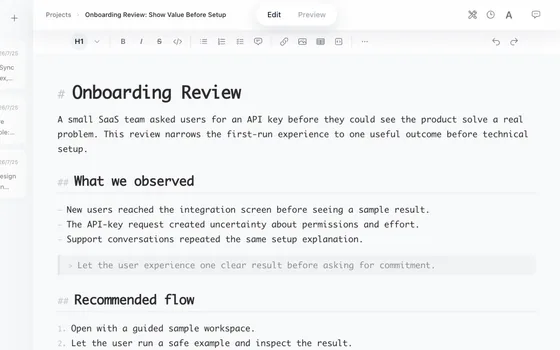
Block editing on a phone
The article splits into blocks. Tap the one you want. Touch targets are large enough to work one-handed.
It arrives already typeset
One link. They open it and the type size and line height match what you saw. No app to install, no account to create.
All of it, on one screen
Every changeis tracked and reversible
Every write is verified by content-hash locks and logged to the version ledger, ready for one-click rollback anytime.
AI plans, you stay in control, the system guards the rest.
Start with one sentence
No system to design up front. Say the thing, and it takes it from there.